



Executive Summary
Article Highlights
The truth? Your landing page is likely the culprit. It’s the digital doorman for your business, and if it’s not optimized, it’s turning potential customers away before they even get a chance to see what you offer.
As a Digital Marketing Strategist at CGAlive, I’ve audited hundreds of landing pages. The difference between a page that converts at 0.5% and one that converts at 5% often comes down to a few critical, overlooked details.
This isn’t about guesswork. This is about a systematic approach. Below, I’m sharing the exact 22-point checklist I use to diagnose and transform underperforming landing pages. If your page isn’t hitting these marks, you’re leaving money on the table.
Part 1: The “Hard Stop” Requirements (Non-Negotiable Fundamentals)

1. The 3-Second Rule: Speed is the Ultimate First Impression
The Fix: Use PageSpeed Insights to diagnose and fix performance bottlenecks like unoptimized images, excessive scripts, and slow server response times. Aim for a score of 80+ on mobile.
2. Message Match: The Ad-to-Page Harmony
The Fix: Ensure the main headline (H1) on your landing page uses the exact, or very similar, phrasing as the ad or link that brought the user there. Consistency builds confidence.

3. Mobile-First Design: The Dominant Channel
The Fix: Test your page on various mobile devices. Ensure the CTA button is large enough for a thumb, text is legible without zooming, and forms are easy to navigate.
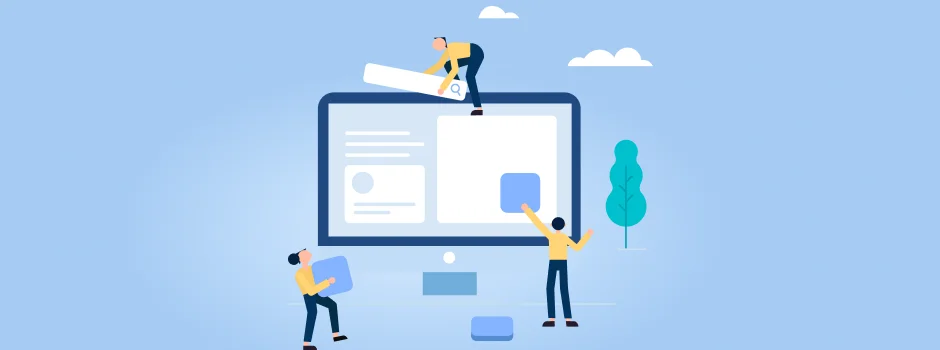
4. One Goal, One Page: The Laser Focus Principle
The Fix: Remove the main navigation menu, footer links, social media icons, and any other external links. Eliminate distractions.
Part 2: Above the Fold (Hooking Them Instantly)

5. Clear Value Proposition: What’s In It For Them?
The Fix: Craft a concise, benefit-driven headline and sub-headline. E.g., instead of “Cutting-Edge CRM,” try “Streamline Your Sales Process & Close More Deals.”
6. The “Human” Element: Connection and Authenticity
The Fix: Use high-quality, authentic images or videos featuring real people (your team, happy customers) interacting with your product/service.
7. Primary CTA Placement: Don’t Make Them Search
The Fix: Ensure your primary CTA button or the top of your lead form is prominently visible within the hero section, before any scrolling is required.
8. Immediate Trust Signal: “Why Should I Believe You?”
The Fix: Include a powerful social proof element (e.g., “4.9/5 Google Rating,” “Trusted by 500+ Businesses,” or a well-known client logo) directly in your hero section.
Part 3: Building Unshakable Trust & Credibility

9. The “As Seen In” Bar: Borrowed Credibility
The Fix: Display logos of media outlets, industry associations, or reputable client brands you’ve worked with.
10. Contextual Testimonials: The Power of Peer Approval
The Fix: Feature testimonials with names, photos, and specific benefits. Place them strategically near your lead form or key feature descriptions.
11. Risk Reversal: Eliminating Buyer Anxiety
The Fix: Clearly state your money-back guarantee, free trial offer, “cancel anytime” policy, or “no credit card required” directly under or near your CTA.
12. Data Security Assurance: Protecting Their Information
The Fix: Include a subtle but clear statement like “Your data is 100% secure” or “We respect your privacy” near the email or sensitive form fields, along with an SSL certificate.
Part 4: The Lead Form (The Ultimate Friction Reducer)

13. Minimalist Fields: The Less, The Better
The Fix: Reduce your from to the absolute minimum fields required to initiate contact (e.g., Name, Email, and one critical qualifying question). Use progressive profiling for more data later.
14. Value-Based Button Text: Inspire Action, Don’t Just Submit
The Fix: Change your button text to reflect the immediate benefit of completing the form (e.g., “Get My Free Audit,” “Start My Trial,” “Download the Report,” “Book My Strategy Call”).
15. Inline Validation: Instant Feedback, Fewer Frustrations
The Fix: Implement real-time feedback (e.g., a green checkmark for valid entries, a red “X” and error message for incorrect ones) as they type.
16. Privacy Link: Building Trust, Not Just Compliance
The Fix: Include a small, non-distracting link to your Privacy Policy near the form, especially if you’re collecting sensitive data.
Part 5: Cognitive Triggers (The Psychological Nudge)

17. Scarcity/Urgency: Don’t Miss Out!
The Fix: If genuine, use countdown timers, limited stock indicators, or phrases like “Offer ends [Date]” to create a sense of urgency.
18. The “F.A.Q.” Section: Pre-empting Objections
The Fix: Include a concise FAQ section (3-5 questions) directly below the form that addresses typical concerns (e.g., “How long does it take?”, “What’s the pricing?”, “Who is this for?”).
19. Directional Cues: Guiding the Eye
The Fix: Use visual elements like arrows, lines, or even images of people looking towards your CTA or form to direct the user’s focus.
Your Landing Page Scorecard:
18 - 22
You have a high-converting page. Expect 3%+ conversion rates.
12 - 17
Your page is average (1-2%). Needs significant optimization.
< 12
Critical condition (<1%). This is why you're losing money.
Conclusion: Stop Leaking Leads, Start Converting
It’s time to stop guessing and start optimizing.
FAQ
1. What is a landing page checklist?
2. Why is a landing page checklist important for paid media?
3. What elements should be included in a landing page checklist?
Key elements include:
- Clear, benefit-focused headline
- Consistent messaging with your ads
- Strong, contrasting call-to-action
- Mobile responsiveness and fast load times
- Social proof and trust signals
- Minimal distractions and form friction
4. How many CTAs should a landing page have?
5. Should landing pages have navigation?
6. How can I measure if my landing page converts well?
Recent Posts
Mastering the Invisible Click: A Practical Guide to Zero-Click Search Optimization
Mastering the Invisible Click: A Practical Guide to Zero-Click Search Optimization
High-Converting Landing Page Checklist: Optimize for Paid Media & Conversions
Stop Guessing, Start Converting: The B2C Guide to Customer Journey Mapping